Zero
For basic day-to-day tracking with limited access to all features.
Free
Historical data: 7 days
Analytics period: 1 day
Subscriber usernames: Hidden
Segmentation: 1 invite link
CSV export: Not included
Team access: Admins only
 Telechurn
Subscriber reports, invite-link tracking, lifetime analytics, and audience segments — in the bot, web dashboard, and Telegram mini app.
Start bot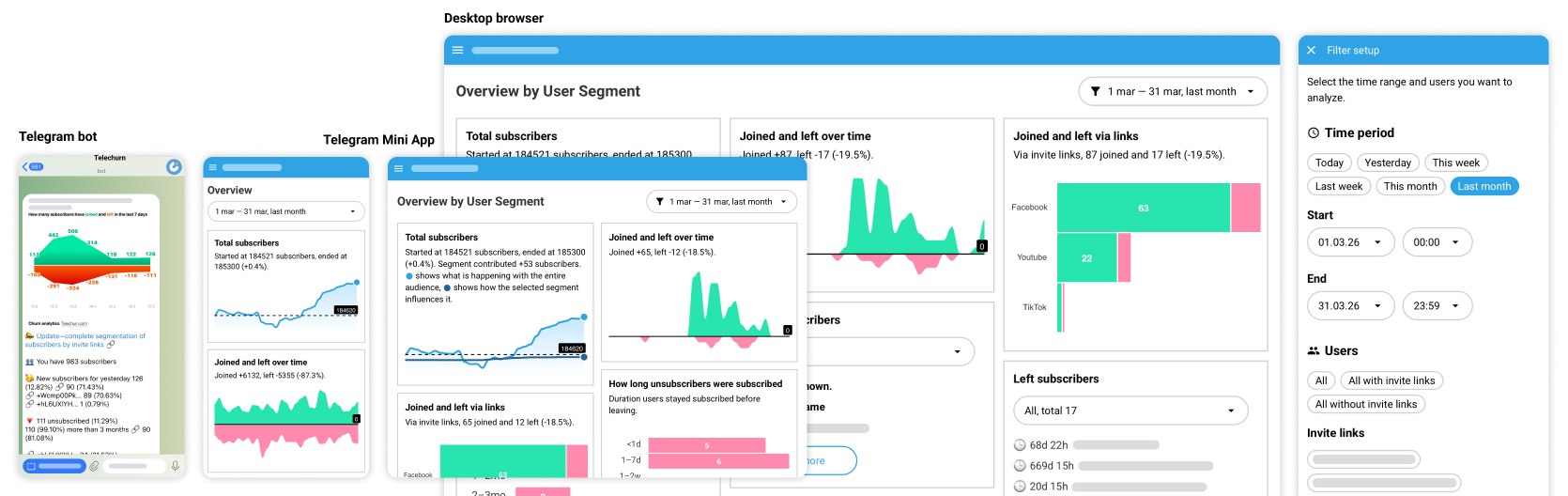
Every day the bot sends a quick report: how many people joined and left, which invite links worked, and exactly who came or went — no manual chart-checking required.
Learn more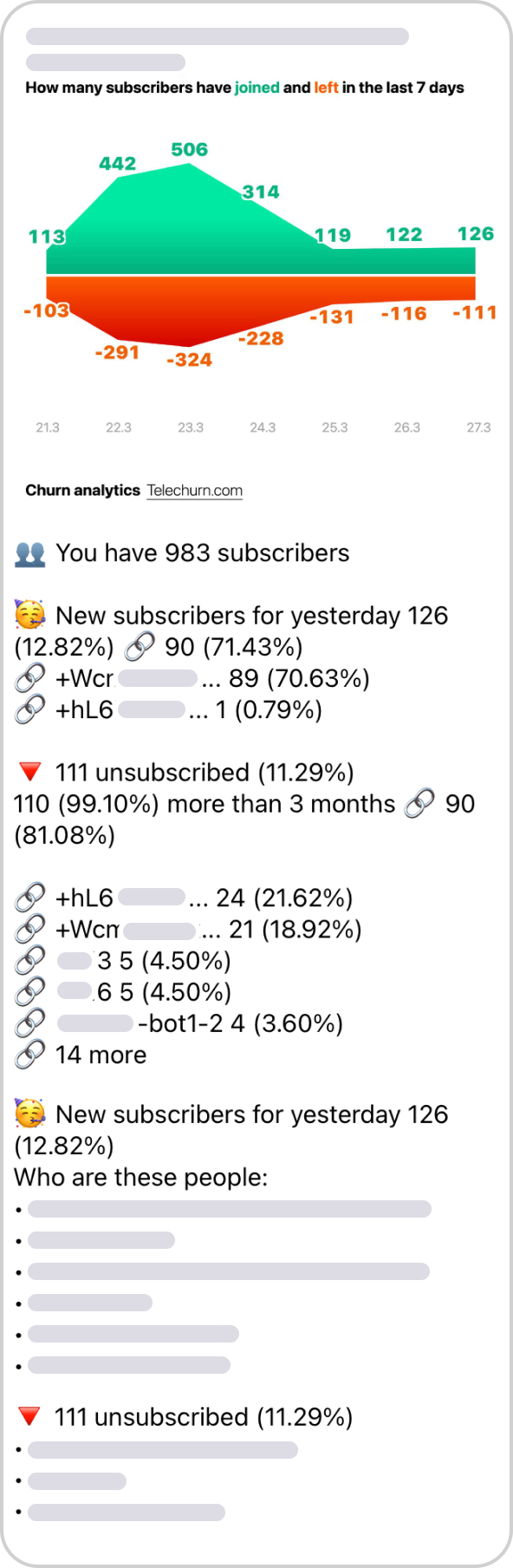
Instantly see how your audience is growing — compare starting and ending counts, spot trends, and measure real progress over any time period.
Learn more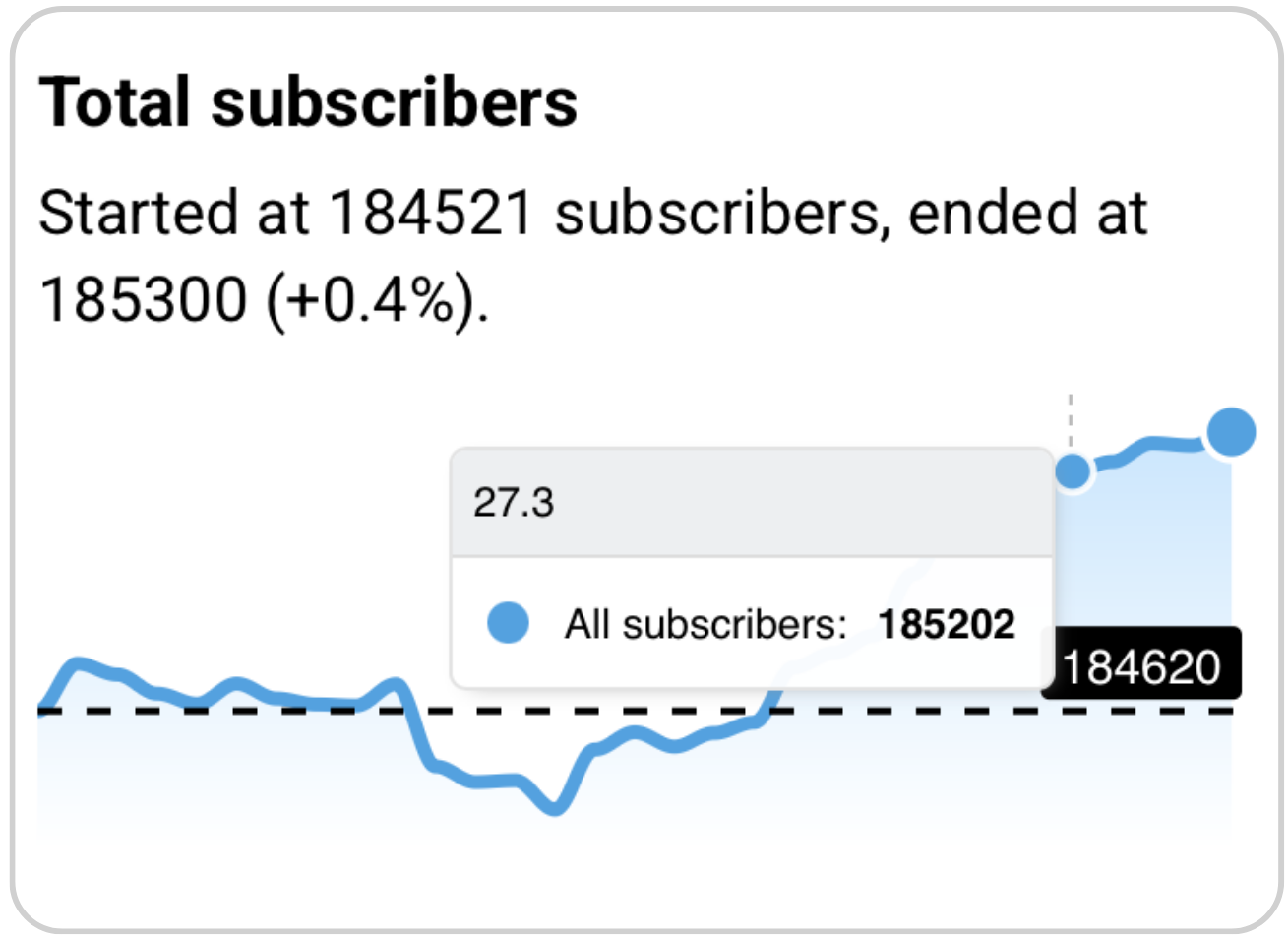
Compare subscription sources and see which channels drive the best results. Each link shows total joins, drop-offs, and churn rate at a glance.
Learn more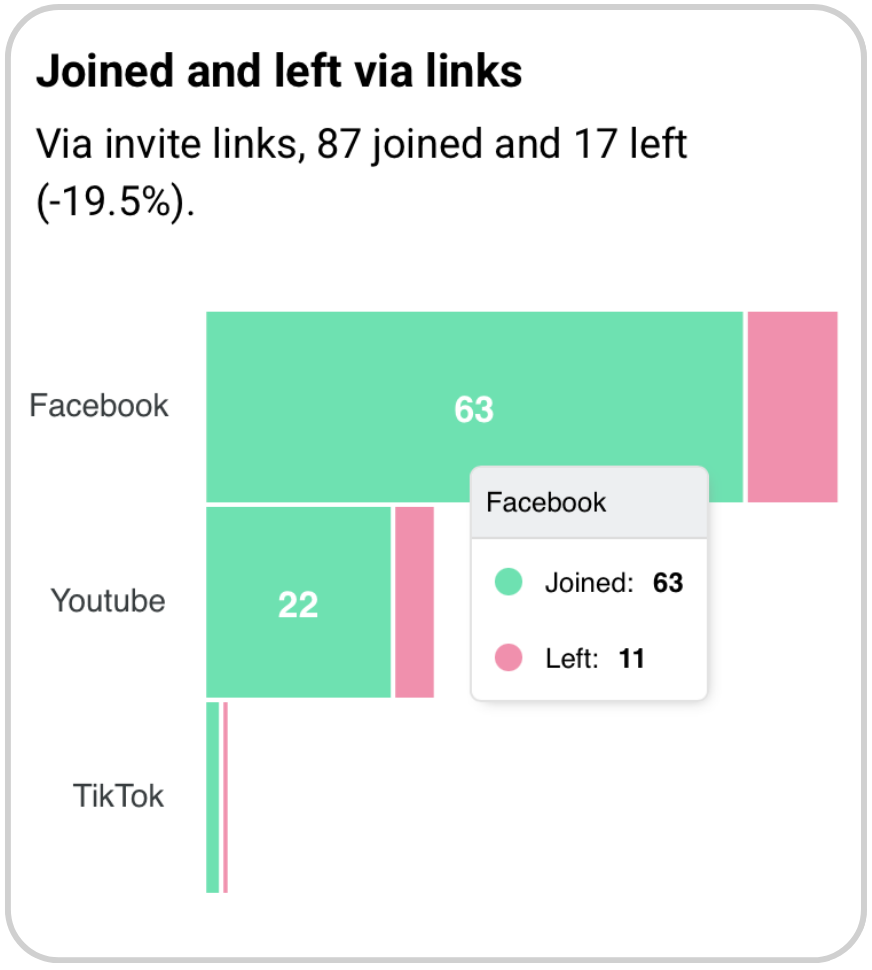
Find out how long people stayed before unsubscribing — from under a day to over a year — and understand whether you're losing fresh followers or loyal members.
Learn more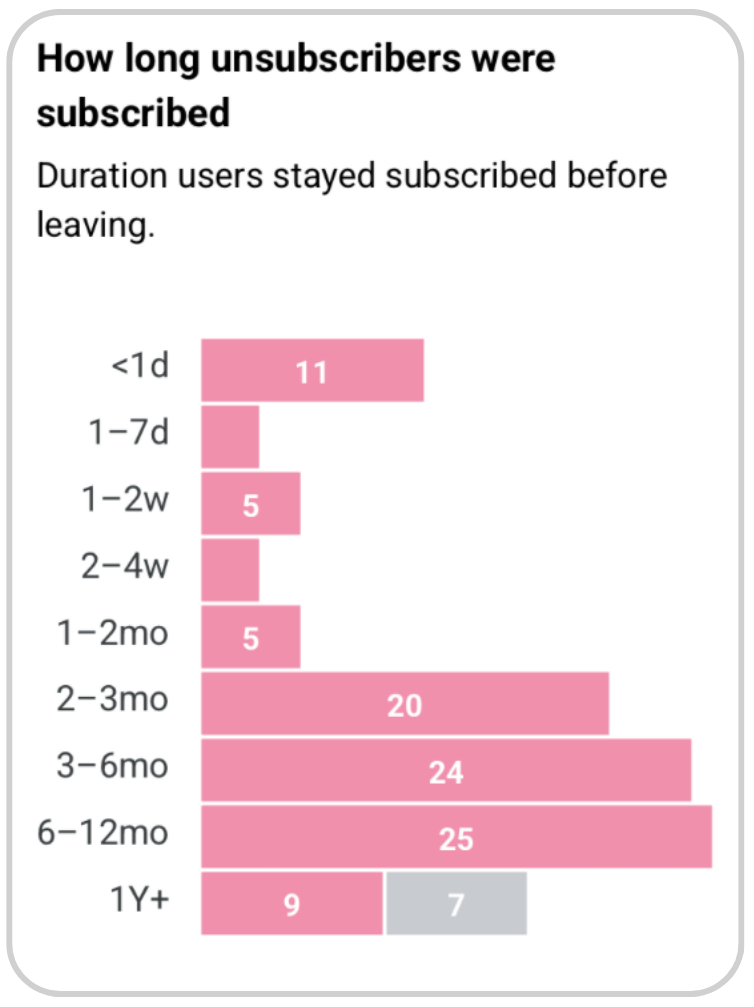
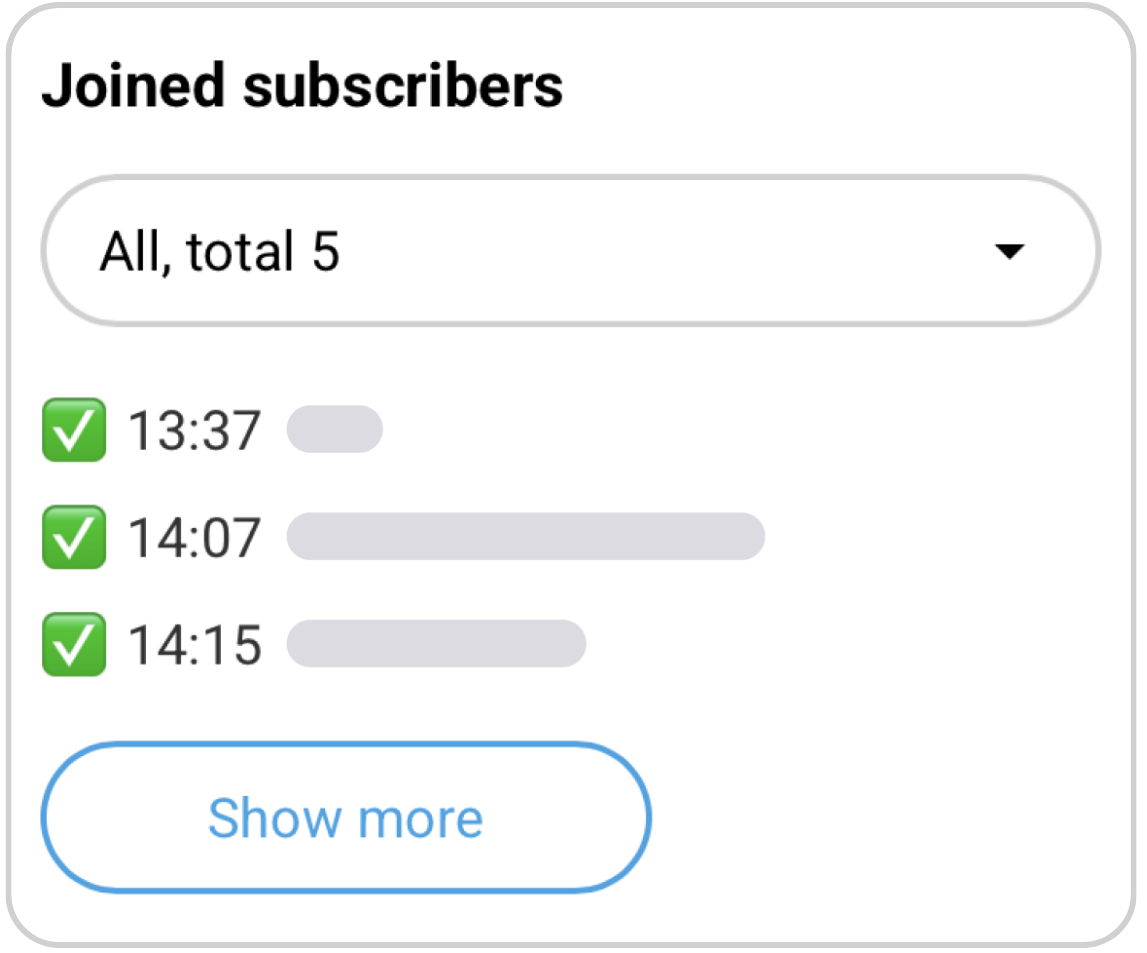
See exactly who joined, when, and how they found you — whether through an invite link or organically. Drill into traffic by source or get a full picture at once.
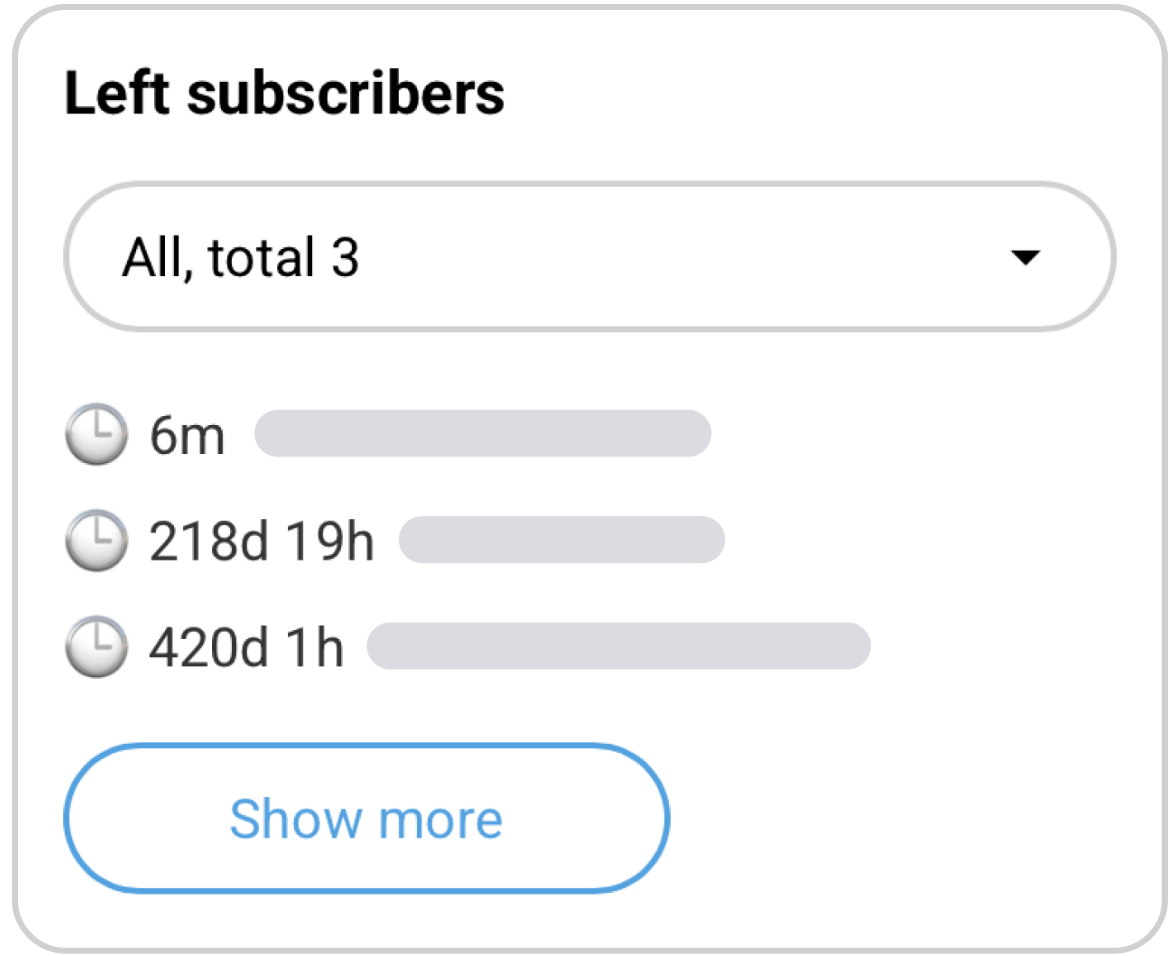
See who unsubscribed, how long they stayed, and which invite link brought them. Pinpoint which traffic sources bring the least loyal audience and which segments drop off the fastest — so you know where to focus.
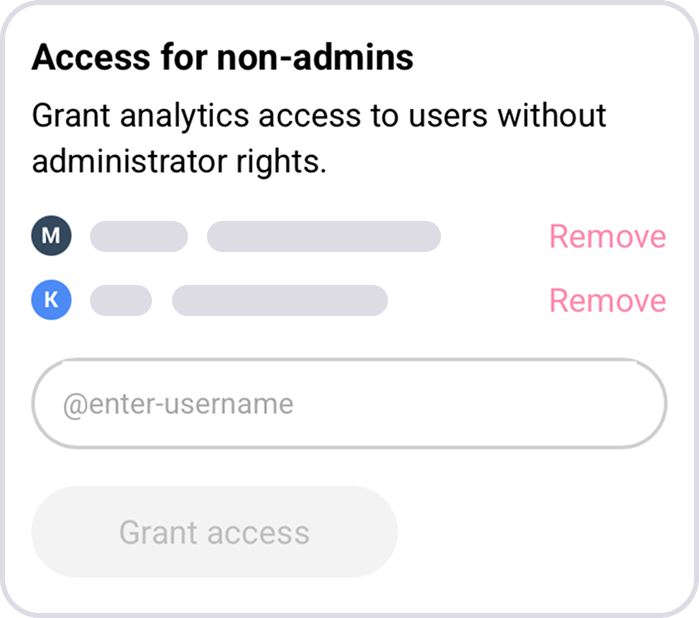
Add or remove report viewers by Telegram username without changing channel roles.
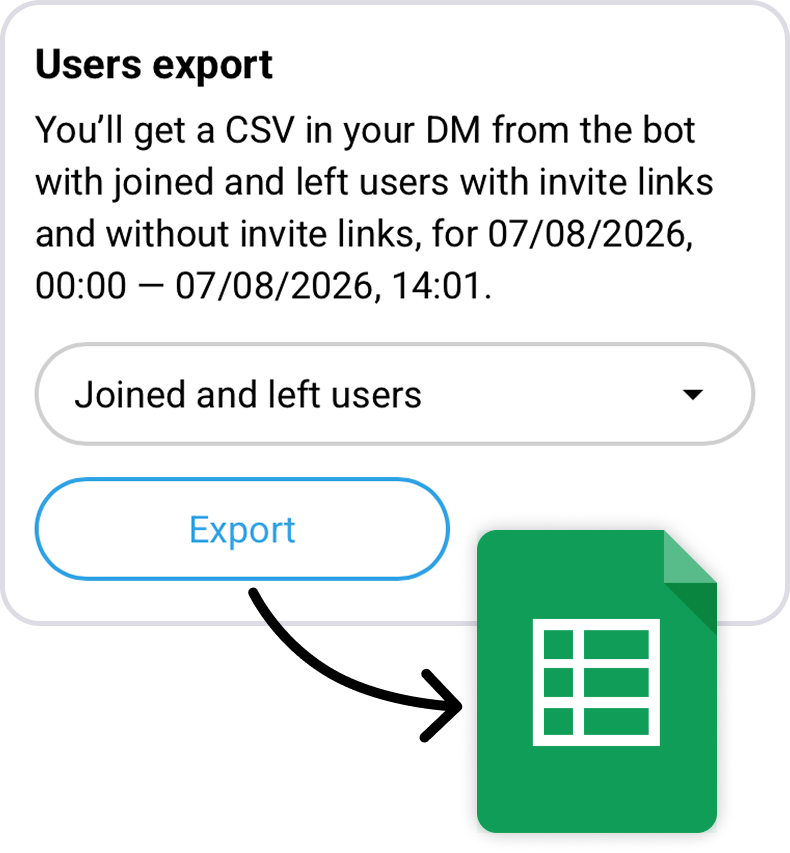
Choose a period and export joined users, left users, or both to a CSV file.
See what share of the current audience appears in the subscriber database.

Done — your first report arrives tomorrow
Basic analytics free, forever. Advanced features at an accessible price.
For basic day-to-day tracking with limited access to all features.
Free
For deeper subscriber analytics with unlimited access to all features.
From $5/mo
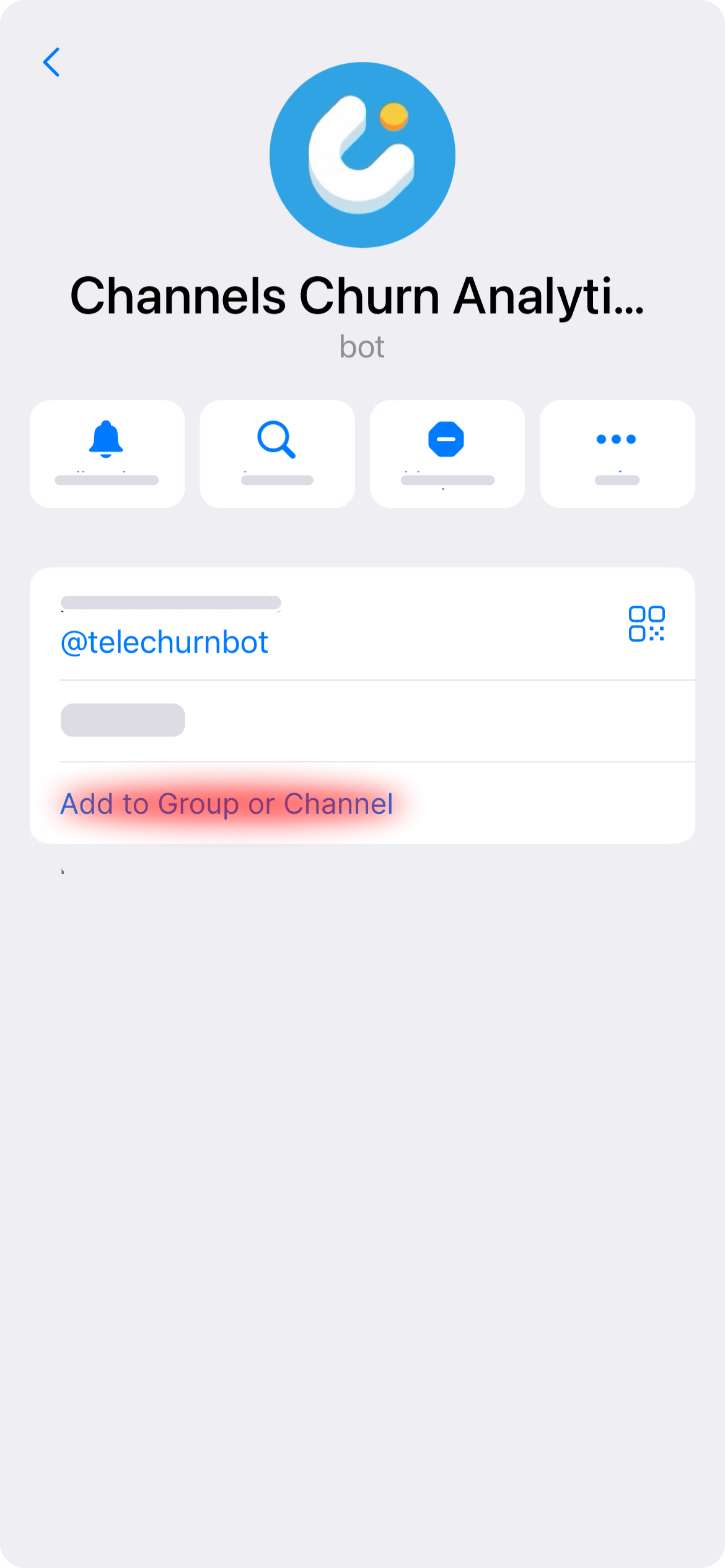
1 — Open the bot description and click add to chat or channel
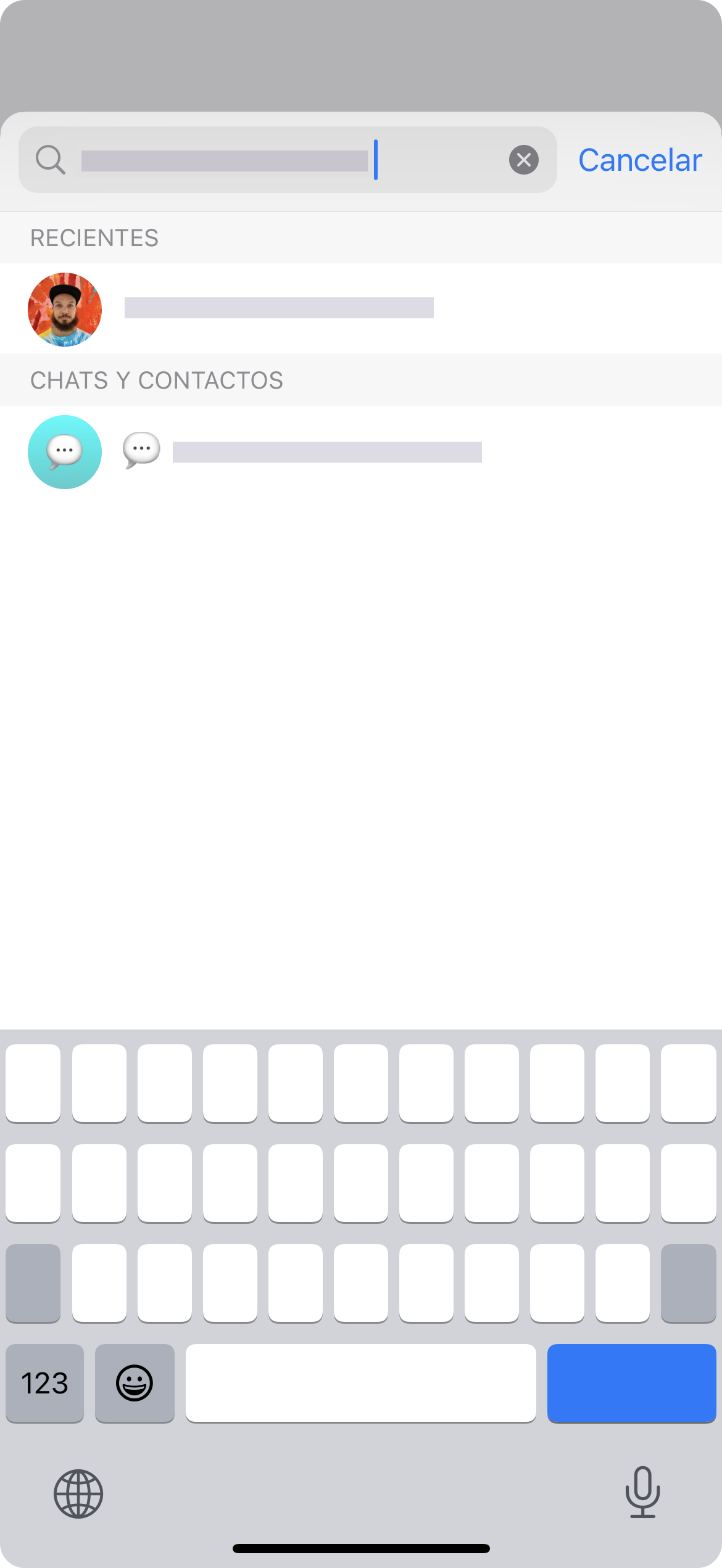
2 — Find the chat or channel you are adding the bot to and click on it
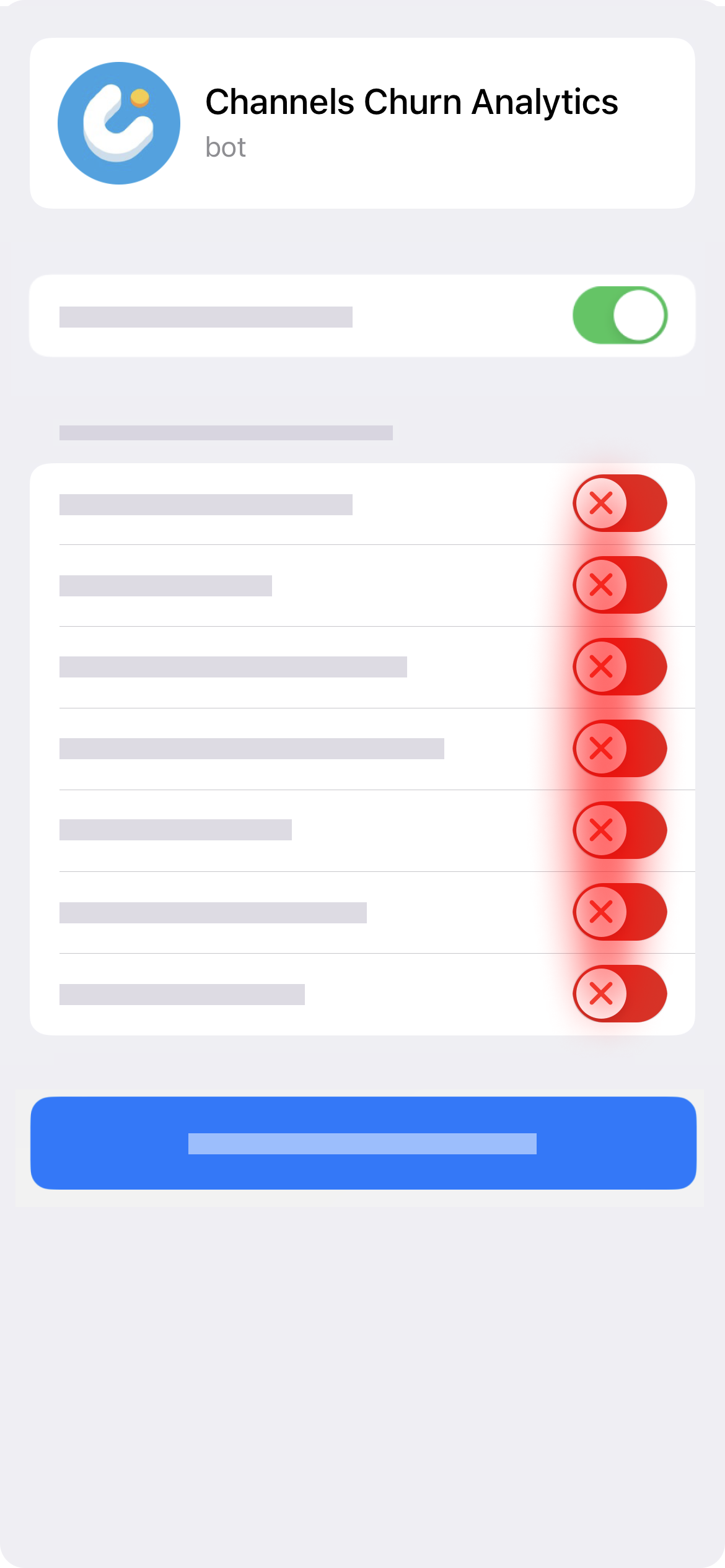
3 — Add the bot as an administrator, disabling other rights
✅
The bot confirms the channel is connected — your first report arrives tomorrow morning. Write to support
Add Telechurn as an admin to your channel — it starts tracking joins, leaves, and invite-link sources automatically, with a daily summary and a full dashboard.
Telegram's own post view counts appear next to each post; subscriber growth, churn, and invite-link performance are covered by Telechurn's dashboard and daily reports.
A tool that audits a channel's subscriber activity — genuine growth, invite-link performance, and churn — rather than just showing the raw subscriber count.
In Telegram, tap the new-message icon, choose New Channel, name it, and set it to public or private.
Tap the new-message icon, choose New Group, add members, and give it a name.
Add Telechurn as an admin — it logs every join and leave with timestamps and invite-link attribution, viewable by day, week, or custom range.
Create separate invite links per campaign or source, then compare their joins, drop-offs, and churn rate side by side in Telechurn.